Introduction
Ant Esports has pretty much mastered the art of making spec sheets look irresistible. The MK4400 Pro follows the same formula: throw in mechanical switches, wireless connectivity, RGB, a full-size layout, and somehow still keep the price aggressive enough to make people curious.
And honestly? For a lot of people, that alone will be enough.
But budget peripherals always come with trade-offs. The question isn’t whether compromises exist—the question is whether they matter enough to ruin the experience.
Thankfully, for the most part, they don’t.
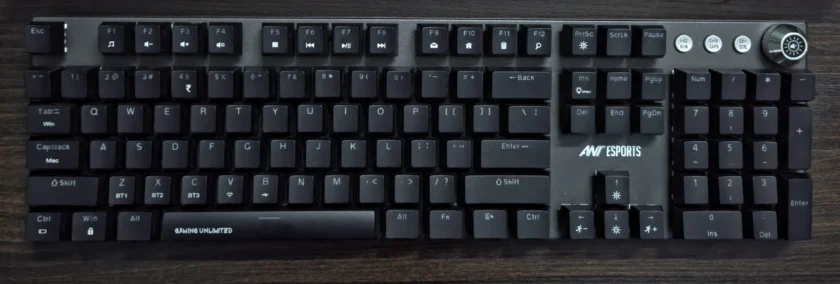
The MK4400 Pro follows a familiar full-size layout with a dedicated numpad, navigation cluster, four media control buttons, and a rotary volume knob positioned in the top-right corner. The floating-key design exposes the switch housings and helps the RGB lighting stand out, while the overall layout remains comfortable and immediately familiar for users coming from a conventional desktop keyboard.
Specifications
- Full-size (104-key) layout with numpad
- Mechanical switches (Brown, Outemu-based)
- Tri-mode connectivity: Bluetooth + 2.4GHz + Wired
- Per-key RGB lighting
- 1000mAh battery
- Full anti-ghosting
- Multi-device support
Design & Build Quality
The MK4400 Pro is a very straightforward keyboard.
No unnecessary gamer angles, no fake aluminum styling, no attempt to look premium when it clearly isn’t. And honestly, that works in its favor.
The full-size layout instantly makes it more practical than the wave of compact boards flooding the market right now. If you actually use your numpad regularly, this matters more than RGB ever will.
Build quality is decent for the price:
- Plastic construction throughout
- Minimal flex during normal usage
- Weight is enough to keep it planted on the desk
That said, refinement isn’t exactly this keyboard’s strong suit. The fit and finish are average, keycaps feel budget, and a closer look reveals where corners were cut.
Still, nothing here feels outright bad. It feels exactly like what it is—a budget wireless mechanical keyboard trying to maximize features first.
Switches & Typing Experience
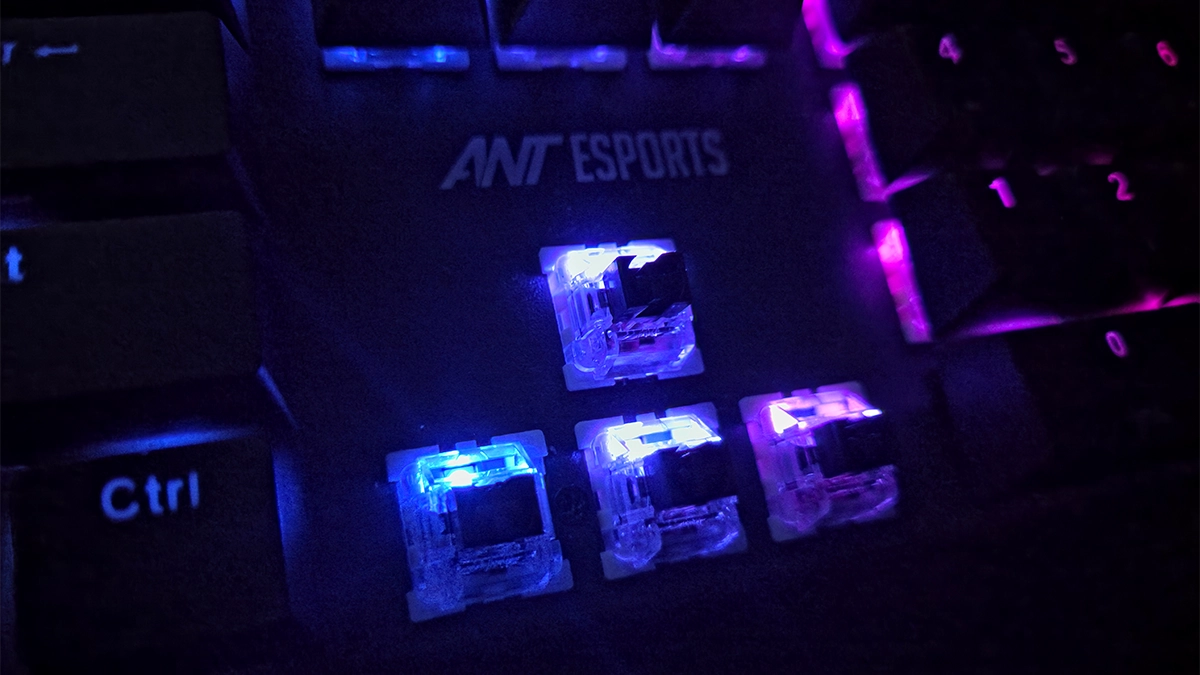
The MK4400 Pro uses Outemu-based brown switches with Ant Esports branding, which immediately tells experienced keyboard users what to expect.
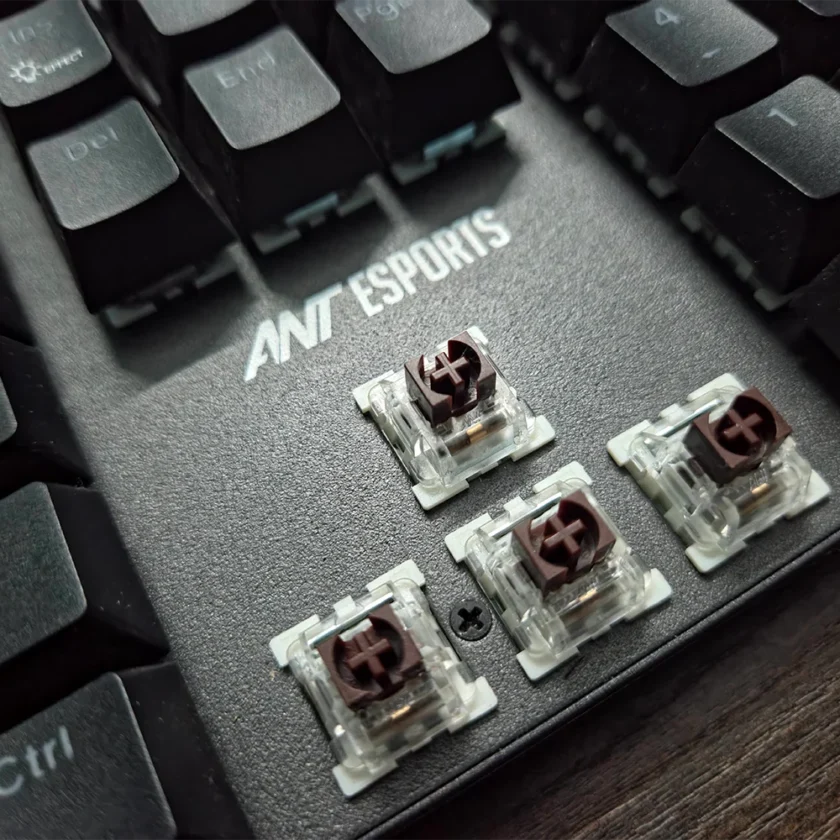
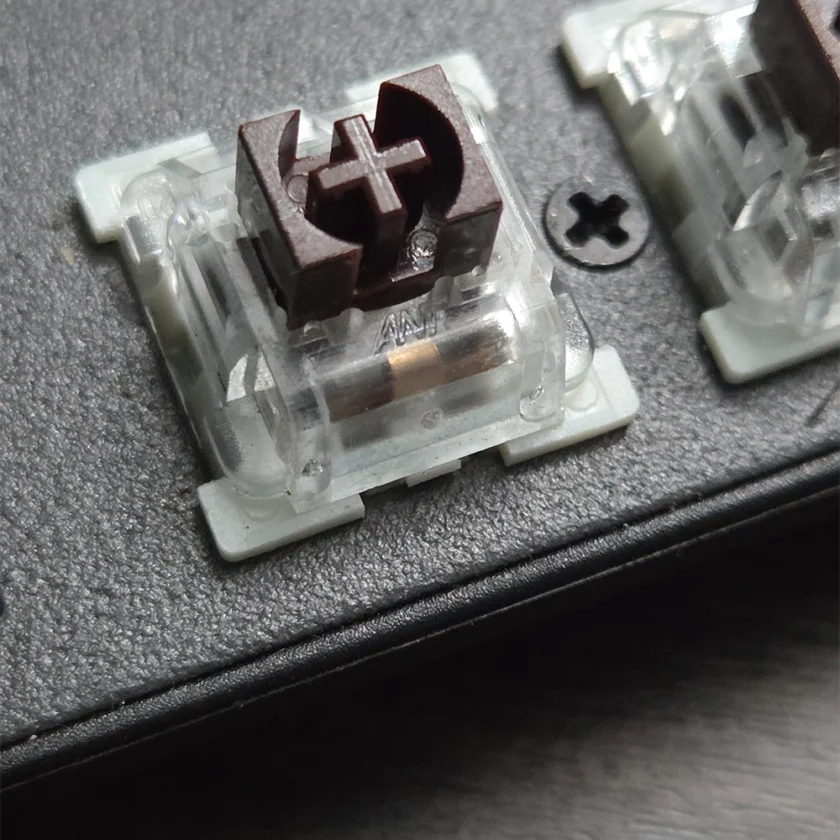
At first glance, the housing design might resemble a box-style switch, but internally this is still a standard MX-style tactile mechanism; not a true Kailh BOX implementation or anything particularly exotic.
What These Switches Are Like
Outemu brown switches sit in the safe middle ground:
- Tactile without being clicky
- Moderate actuation force
- Designed to work for both typing and gaming
Or in simpler terms they try to be decent at everything without specializing in anything.
Typing Experience
Typing on the MK4400 Pro is… alright.
You get:
- A mild tactile bump
- Decent enough feedback
- Slight scratchiness on certain keys
- Stabilizers that feel a bit loose, especially on the spacebar
If you’re moving from a membrane keyboard, this will absolutely feel like an upgrade. But if you’ve spent time on better mechanical boards, the rough edges become noticeable pretty quickly.
And to be fair, that’s not really surprising at this price point.
Gaming Performance
Gaming is where the keyboard feels more comfortable.
- Inputs register consistently
- No major latency issues over 2.4GHz
- Tactile bump doesn’t interfere with rapid presses
It’s not an esports-grade keyboard despite the branding, but for casual and everyday gaming, it gets the job done without complaints.
And realistically, that’s what most people buying this keyboard will actually use it for.
Connectivity: The Real Selling Point
This is where the MK4400 Pro starts making a lot more sense.
You get:
- Bluetooth
- 2.4GHz wireless
- Wired connectivity
all in one keyboard.
And more importantly, switching between modes is painless enough that you’ll actually use the feature regularly instead of forgetting it exists after two days.
If you work across multiple devices or even just like keeping your desk cleaner this becomes the keyboard’s biggest advantage very quickly.
Honestly, this is the main reason to buy the MK4400 Pro.
Not the switches.
Not the RGB.
The convenience.
RGB Lighting
RGB implementation on the MK4400 Pro is better than expected for the price.
The transparent switch housing helps spread lighting more evenly across the board, and while warmer tones like yellow don’t look as saturated as the cooler colors, the overall presentation is still fairly clean for a budget mechanical keyboard.
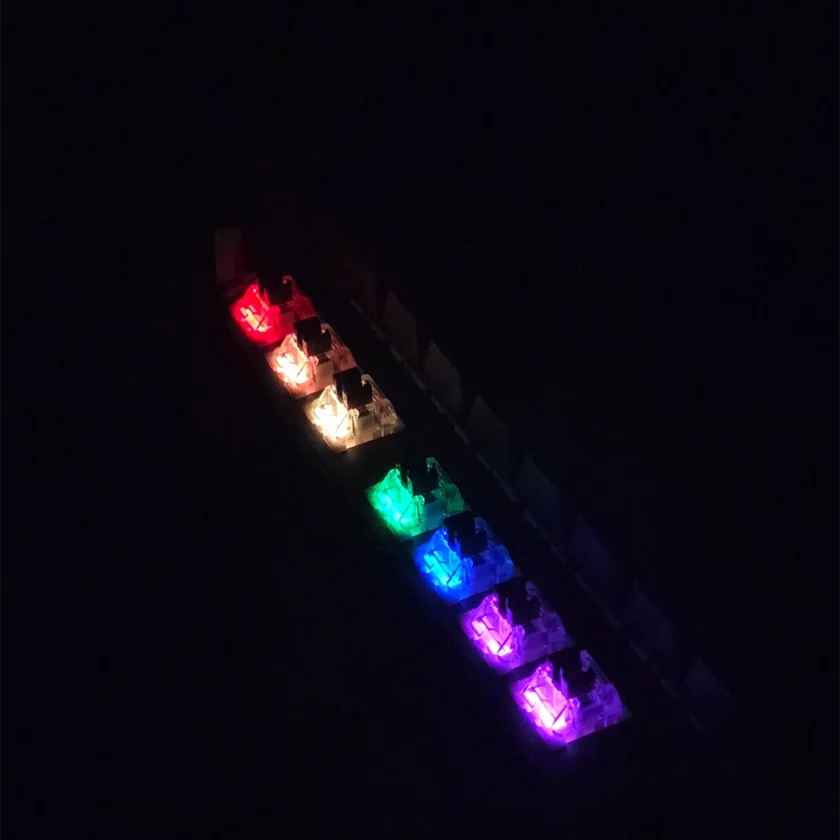
The stock keycaps don’t really let the lighting shine as much as they could, but the RGB itself is bright enough and works well in darker setups.
Customization is fairly basic overall, though that’s expected at this price point.
Battery Life
Battery life is about what you’d expect from a 1000mAh wireless mechanical keyboard.
With RGB on, expect a few days of regular usage. Turning lighting off extends it significantly, and the auto-sleep feature helps avoid unnecessary drain.
No complaints here, but nothing particularly impressive either.
Real-World Usage
After using the MK4400 Pro for a while, something interesting happens, you stop focusing on the flaws.
The average stabilizers? You adapt.
The slightly scratchy switches? You stop noticing after a point.
What you do keep noticing is:
- The lack of cables
- Easy device switching
- The convenience of a full-size wireless setup
And honestly, that’s probably the biggest compliment this keyboard can get.
It doesn’t constantly remind you of its compromises during use.
MK4400 Pro vs The Competition
This segment is crowded, and the MK4400 Pro sits in a slightly weird—but smart—position.
vs Ant Esports MK4500 Pro
The MK4500 feels slightly more refined overall, but the MK4400 Pro wins on wireless flexibility.
vs Cosmic Byte Mechanical Keyboards
Some Cosmic Byte boards offer slightly better switch tuning, but often lose out on connectivity options.
vs Redragon Budget Boards
Redragon usually has better build quality, but often at higher pricing.
So Where Does The MK4400 Pro Fit?
Simple.
It’s not trying to be the best typing keyboard.
It’s trying to be the most feature-packed keyboard at this price.
And honestly, it succeeds more often than it fails.
The Problems
Of course, compromises exist:
- Outemu switches still feel entry-level
- Stabilizers need improvement
- Build quality lacks refinement
- No enthusiast-level features like hot-swappability
But none of these issues are dealbreakers.
They’re just reminders of the price bracket this keyboard exists in.
Who Should Buy This?
The MK4400 Pro makes sense if:
- You’re moving from a membrane keyboard
- You want wireless + mechanical without overspending
- You need a full-size layout
- You regularly switch between devices
Skip it if:
- You care deeply about typing feel
- You want premium materials
- You’re into enthusiast keyboards or modding
Verdict
The Ant Esports MK4400 Pro is one of those products that knows exactly what it wants to be.
It’s not chasing enthusiast users.
It’s not trying to compete with premium keyboards.
It just wants to give buyers:
- Mechanical switches
- Wireless freedom
- Full-size practicality
…without making their wallet cry.
And honestly, that’s enough.
Yes, compromises exist. But none of them are severe enough to ruin the overall experience. Once you start using the keyboard daily, the convenience factor genuinely outweighs most of its shortcomings.
At the end of the day, the MK4400 Pro isn’t impressive because it’s perfect.
It’s impressive because of how much it manages to offer at this price.
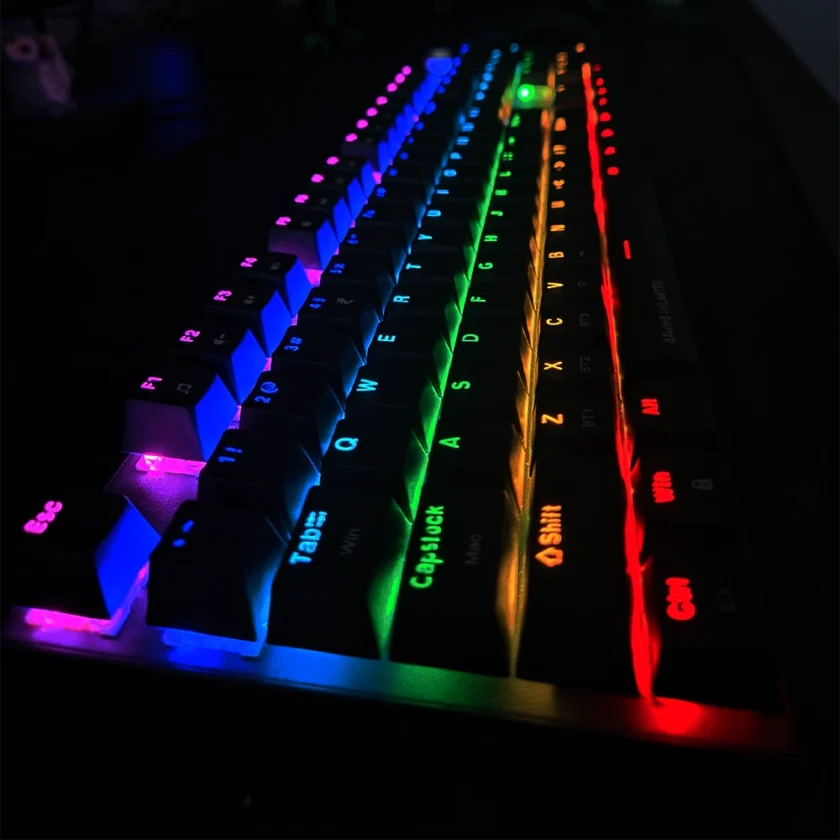
The Ant Esports MK4400 Pro gets a lot right for the price—especially with its tri-mode connectivity and full-size layout. While the switch quality and overall refinement remind you this is still a budget mechanical keyboard, the overall package remains surprisingly practical for everyday use.
Amazon Link: ANT Esports MK4400 Pro